Walls Up, Dreams Out: A Builder's Playbook for Stunning Sims 4 Architecture
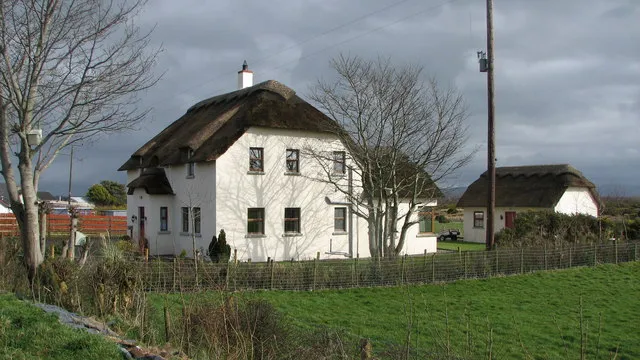
Photo: Willie Duffin, CC BY-SA 2.0, via Wikimedia Commons
There's something deeply satisfying about finishing a Sims 4 build and just... standing back to look at it. The right roofline, a porch that actually makes sense, windows that catch the afternoon light — it all comes together in this weirdly emotional way. But getting there? That takes some practice, a few tricks up your sleeve, and honestly, a willingness to bulldoze your first three attempts without crying too hard.
This guide is for everyone — the player who just figured out how to place a door and the veteran builder who's been doing this since The Sims 2. We're going deep on building techniques, architectural styles, and the tools that most people overlook. By the end, you'll have everything you need to build the kind of home that gets reposted across the community.
Start With a Plan (Seriously, Don't Skip This)
The number one mistake new builders make is jumping straight into Build Mode without any idea of what they're going for. Before you place a single wall, ask yourself: What's the vibe? A weathered farmhouse in the countryside? A sleek mid-century modern in the hills? A cramped but charming tiny home?
Grab a piece of paper — yes, actual paper — and sketch a rough floor plan. You don't need to be an architect. Just knowing where your main rooms will sit, how the entrance flows, and whether you want a single or multi-story layout will save you from the dreaded "tear-it-all-down-and-start-over" moment two hours in.
Player and community builder @SimplySimone_builds shared this tip in a recent community post: "I always start with a reference image. I'll pull up a real house on Pinterest or Zillow and use it as loose inspiration. It keeps me from going in circles." Smart move, Simone.
Mastering the Foundation and Terrain Tools
One of the most underused features in Sims 4 is the terrain manipulation tool. Flat lots are fine, but adding elevation changes — even subtle ones — gives your builds a sense of weight and realism that flat construction just can't match.
Try this: raise the terrain slightly under your foundation before you start building. Then use the foundation height slider to lift the structure off the ground by at least one or two notches. Suddenly your house looks like it belongs on the lot instead of just sitting on top of it. Add a few landscaped steps leading to the front door, and you've already got curb appeal.
For split-level builds, use the room tool to create sections at different heights. This is especially effective for ranch-style homes or hillside designs where the land naturally slopes.
Victorian Mansions: Go Big or Go Home
Victorian architecture is one of the most rewarding — and most challenging — styles to pull off in Sims 4. The key elements are asymmetry, layered trim, steep rooflines, and a lot of decorative detail.
Roofing is where most Victorian builds live or die. Use a combination of gabled roofs, hipped roofs, and dormer windows to create that signature multi-peaked silhouette. Don't be afraid to stack roof sections — Victorians were never minimalist.
For the exterior, lean into the half-wall tool to create decorative banding between floors. Pair contrasting wall colors (think deep jewel tones on the lower half, lighter trim on top) to get that painted-lady effect that's so iconic in places like San Francisco's Alamo Square neighborhood.
Wrap-around porches are non-negotiable. Use the quarter-tile placement trick — hold Alt while placing objects — to line up porch columns and railings with precision. Top it off with a turret on one corner using the round room tool, and you've got something that looks straight out of a New England ghost story. In the best possible way.
Tiny Houses: Small Footprint, Big Personality
The tiny house movement has been huge in the US for years now, and it translates beautifully into Sims 4. The challenge isn't space — it's efficiency. Every square tile has to earn its keep.
Start with a footprint no larger than 5x7 or 6x8 tiles. Use open-plan layouts to make the space feel bigger, and stack your vertical space with loft bedrooms accessed by ladder. The Tiny Living Stuff Pack is your best friend here — it introduces murphy beds, compact appliances, and skill perks for small-space living that actually change how the gameplay feels.
For style, tiny houses work great in a modern cabin aesthetic. Use natural wood paneling, large windows to blur the line between inside and outside, and a simple shed or butterfly roof to keep things clean. Less really is more here.
Advanced Tricks Every Builder Should Know
Here are a few techniques that separate the good builds from the ones that go viral:
-
The BB.MOVEOBJECTS cheat — If you're not using this, you're leaving so much on the table. It lets you place objects anywhere, overlap items, and create custom furniture arrangements that look genuinely designed rather than game-placed.
-
Half-walls as window sills — Stack a short half-wall under a full-height window to create a built-in window seat or just a more architectural window frame. It's a small detail that reads as very intentional.
-
Mixing roof types — Don't default to one roof style across the whole build. Mixing a flat roof section on a back addition with a gabled main roof adds visual complexity and makes the home feel like it evolved over time.
-
Negative space in landscaping — Don't plant stuff everywhere. Leave open lawn areas, use gravel or pavers to break up greenery, and let your exterior breathe. Real landscape design uses contrast, and so should yours.
Community Spotlight: Builds Worth Studying
The Sims 4 building community is genuinely one of the most talented groups of creators out there. A few recent builds making the rounds that are worth downloading and dissecting:
- "Magnolia Grove" by @PorchSwing_Sims — A Southern Gothic mansion with incredible wraparound porch detailing and moody exterior lighting.
- "The Matchbox" by @TileByTile_Builds — A 4x6 tiny home that somehow fits a full kitchen, sleeping loft, and outdoor shower without feeling cramped.
- "Westside Craftsman" by @HammerTime_Helga — A classic American Craftsman bungalow with exposed beam ceilings and a killer built-in bookshelf wall.
All three are available on the Gallery. Search the creator names and prepare to take notes.
Final Thoughts: Build Like Nobody's Watching (Then Share Everywhere)
The best advice for any Sims 4 builder is to just make stuff. Build weird things, build things that fail, build things that surprise you. The tools in this game are genuinely powerful once you know how to use them, and the community here at Helga Sims is always down to give feedback, share inspiration, and celebrate what you create.
Got a build you're proud of? Drop it in the comments or share it on the Gallery with #HelgaSims — we feature community builds regularly and we'd love to see what you're working on. Now go build something beautiful.